


How to manage a webinar
A Webinar is a resource that can be selected when creating a new module within a course. Once the module has been selected, users enter a name and assign it to any existing section within the course, if applicable.
After clicking Apply changes, a section dedicated to webinar information will open:
- start date;
- start time;
- duration in minutes.
The webinar cannot last less than 15 minutes. Webinars can be scheduled: enter the desired date, then simply start the webinar on the selected day.
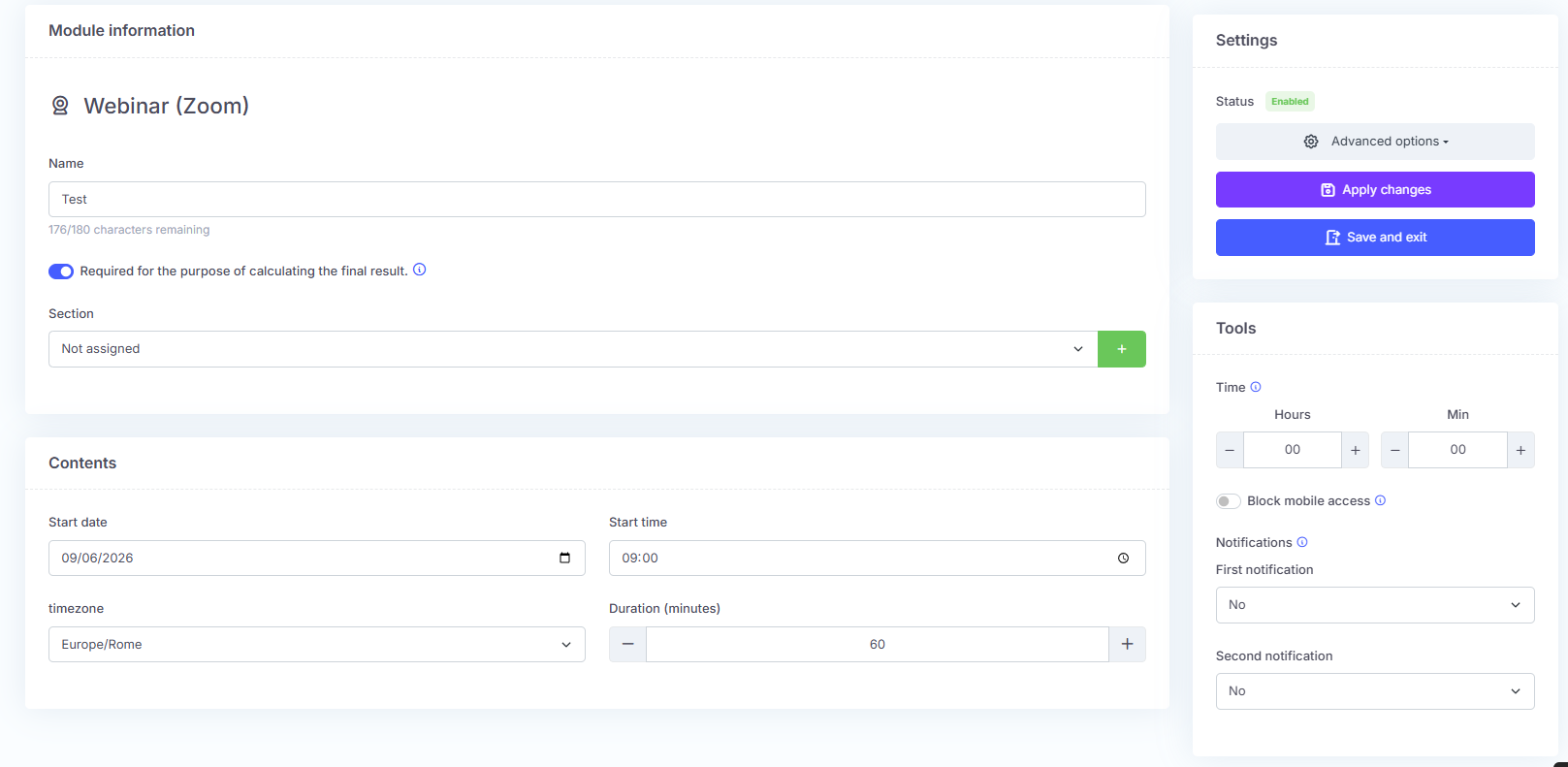
In the right-hand column, in addition to the minimum attendance time required for the module to be considered completed, users can choose whether to remind the learner about the event they are enrolled in. The learner can receive up to two emails, starting from one month before the webinar up to one hour before it.
Finally, click Save and exit.
The Webinar will be visible in the Scheduled section within Webinars.