


Orders
The Orders section allows users to view the list of completed orders, including the related date and payment method. Users can search for orders placed within a specific time range and export invoices in XML format.
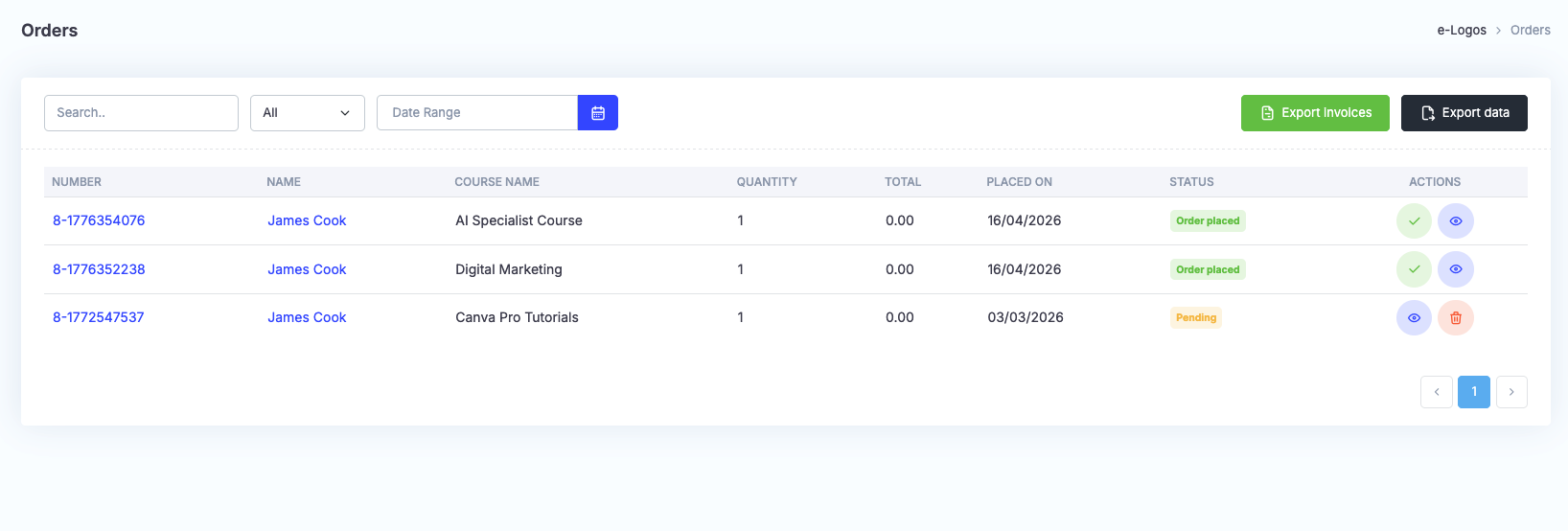
Once the purchase has been completed, if the user paid by bank transfer, the order will display the status “Pending”. The payment must be confirmed by clicking Confirm, after which the status will change to “Order completed”. By clicking the Export invoices icon, users can select the period to export, and the file will be downloaded in XML format. Export data allows users to download all data in CSV, XLS, or PDF format.
Note: invoices do not have fiscal value; therefore, they must be reported separately.