


Power users
The Power users section allows users to create new platform user profiles. Each Power user level has different privileges and is divided into:
- Admin: has full control of the platform, including the ability to edit payment methods and administrative information;
- Manager: can create courses, instructors, and users, monitor the progress of enrolled users, and much more;
- Instructor: can manage only courses, monitor user activities, and exchange chat messages with learners;
- Speaker: can only view courses;
- Order viewer: can only view orders placed by users.
Additional power users can be created by managing roles and permissions. Find out how by clicking here.
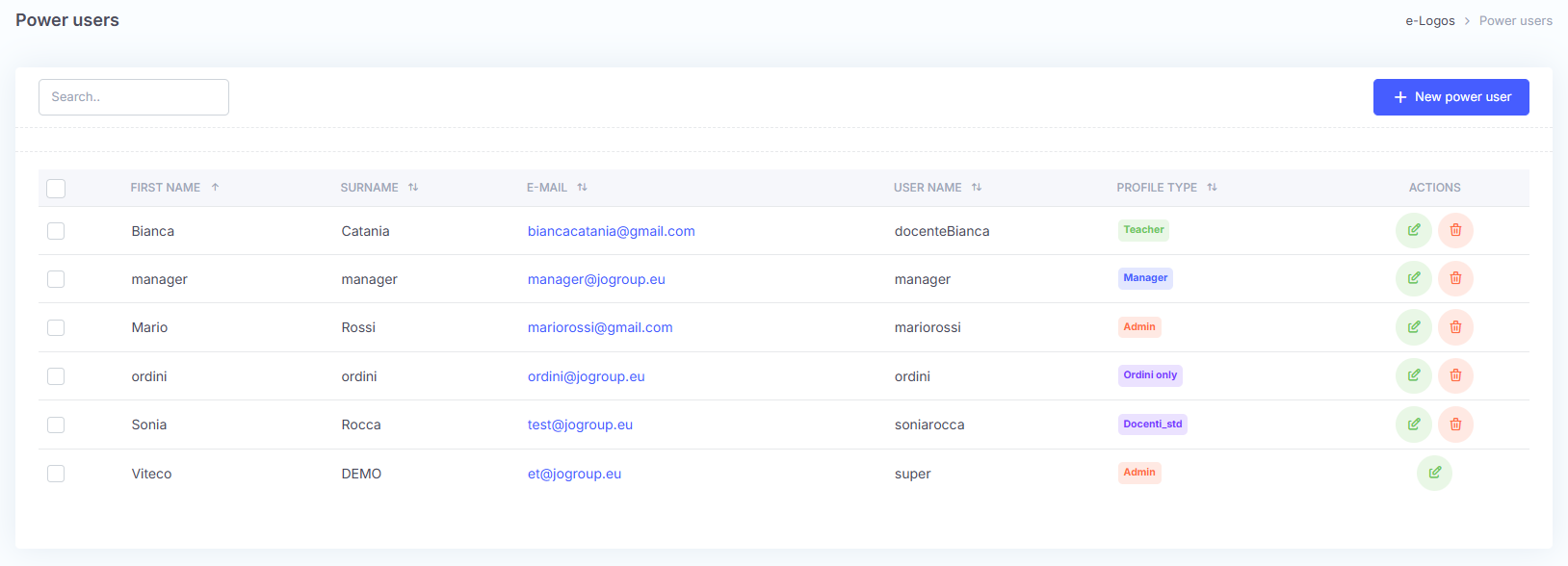
To create a new Power User, simply click New Power User and fill in the required fields. From the Profile type drop-down menu, users can choose the type of Power User.
A random password can be entered by clicking the dice-shaped button.
Note: Power Users log in with a username and password, unlike learners, who log in with an email address and password.
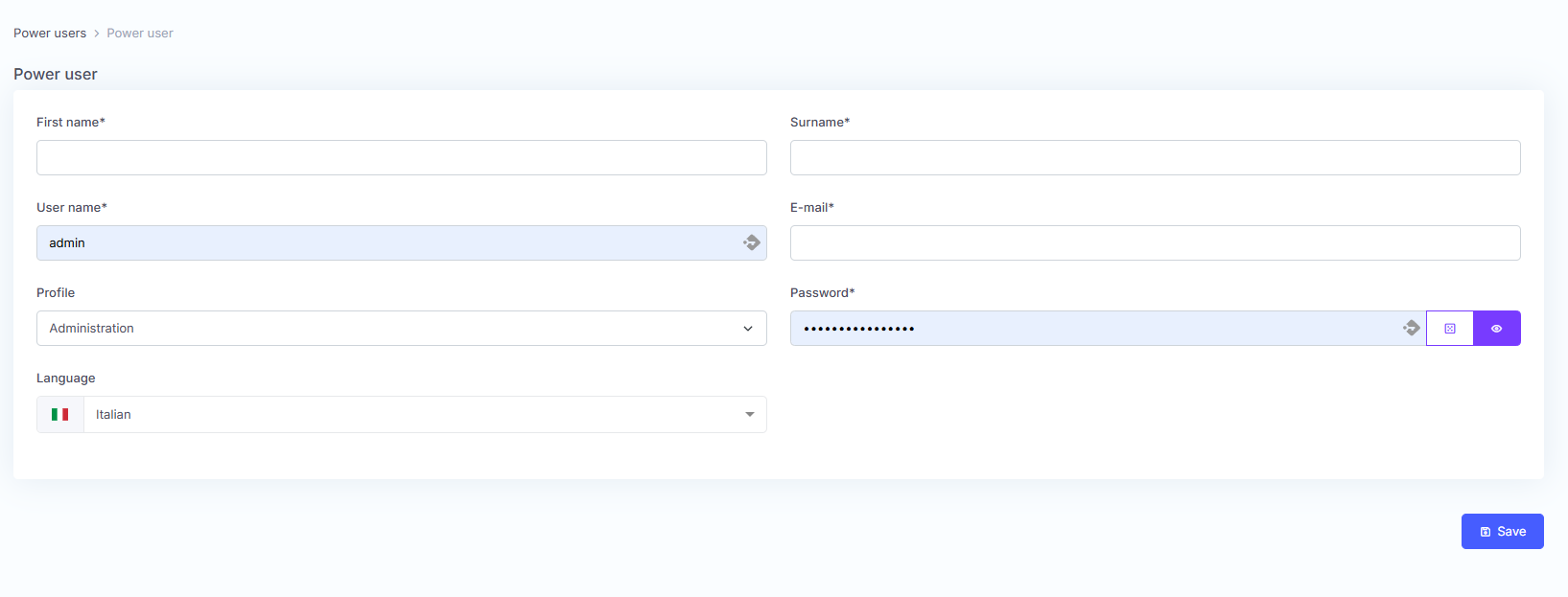
Click Save.
The user will receive an email confirming that they have been added to the platform, including their credentials and profile type.