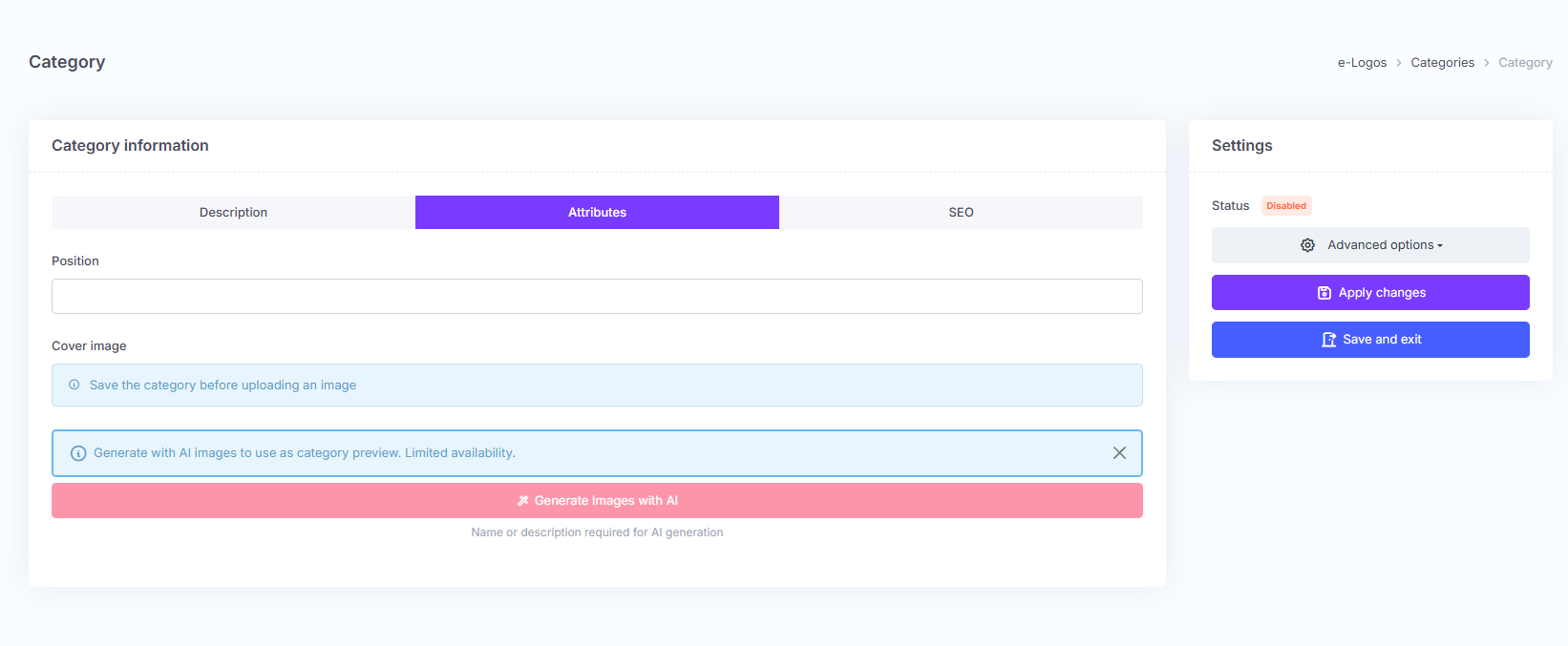
In the second tab, Attributes, the following fields are available:
- Position: allows users to sort categories by priority;
- Image: allows users to upload an image to associate with the category.
These fields are not mandatory.
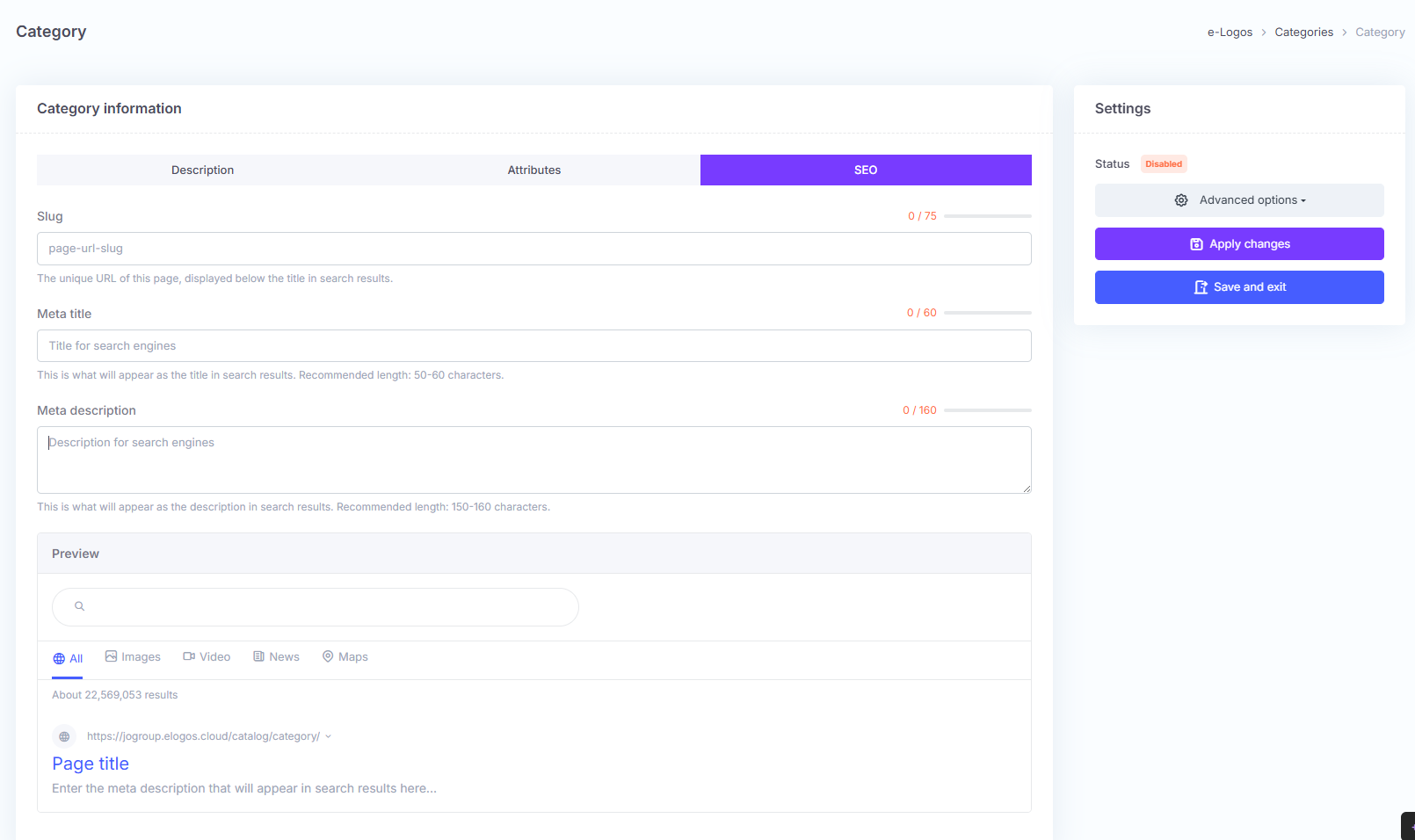
In the third tab, SEO, the following fields are available:
- Slug: allows users to specify the page URL, which is displayed below the title in search results;
- Meta title: the title shown in Google search results;
- Meta description: enter the description using HTML code.
These fields are not mandatory.