Roles and permissions
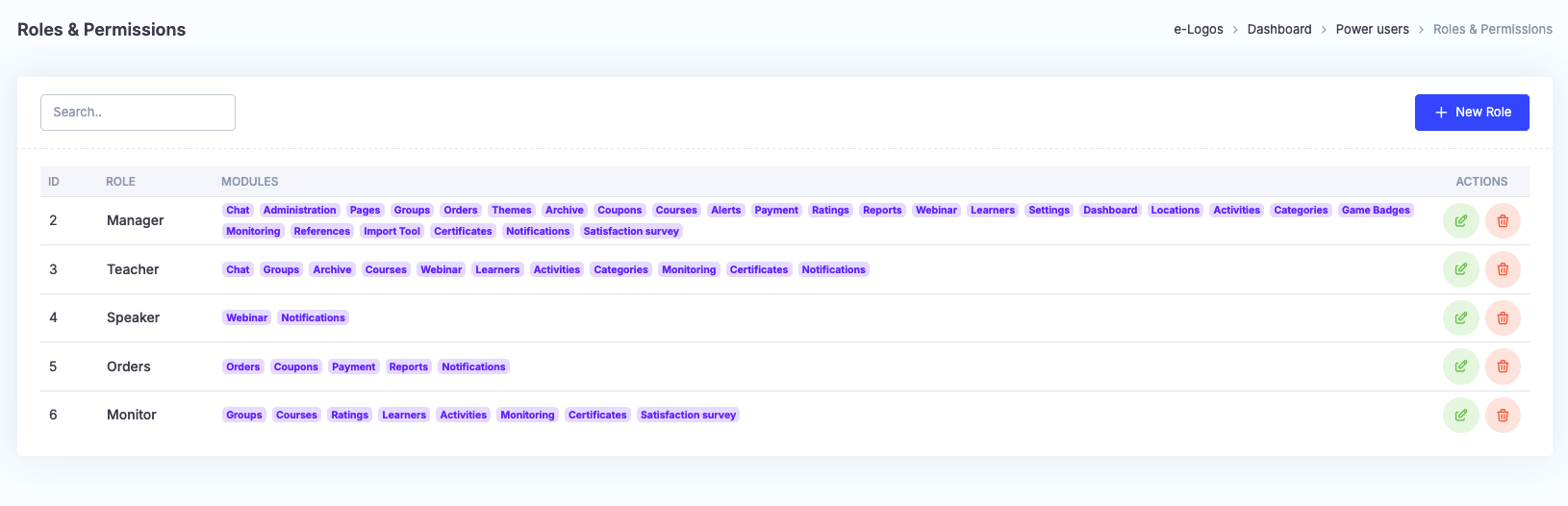
The Roles and permissions section allows users to manage different access levels and features for different types of roles.
Through this area, users can create and configure different roles and precisely define the permissions associated with each one. Existing roles on the platform, such as Admin or Manager, can be edited.
Note: when editing the permissions associated with an existing role, those permissions will be automatically changed for all users assigned to that role.
How to create a role
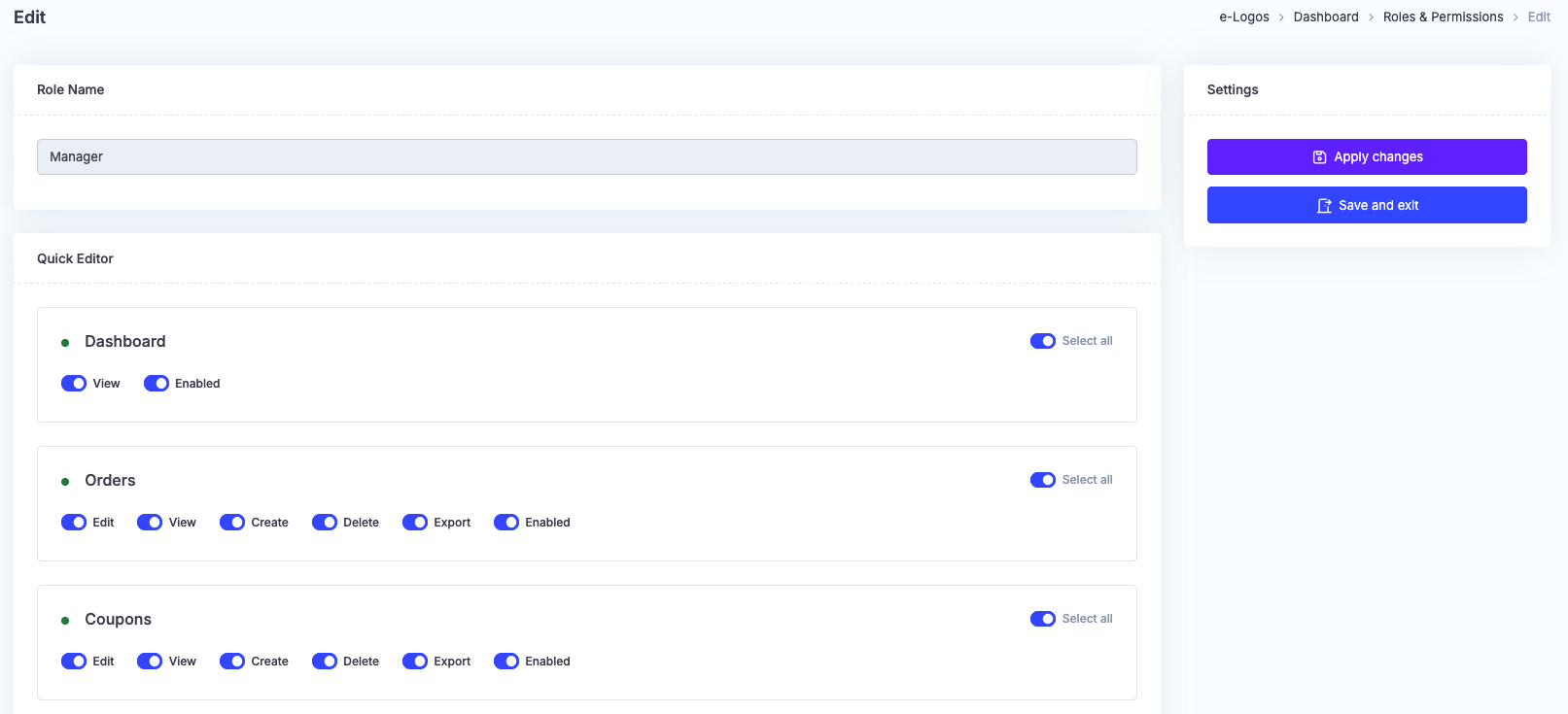
By clicking New role, users can access the role editing screen and define permissions in detail through a quick editor organized into several modules. The name entered in the “Role name” field will later be displayed in the “Profile” drop-down menu in the Power users section.
For each module, the following actions can be enabled or disabled:
- View: the user will have access to the section;
- Create: the user will be able to add new items;
- Edit: the user will be able to edit existing items;
- Delete: the user will be able to delete items;
- Export: the user will be able to export data;
- Enabled: fully enables or disables the module.
Click Apply changes or Save and exit.