


How to configure Stripe
Stripe is one of the payment methods that can be integrated with e-Logos. It allows users to purchase courses by credit or debit card securely and immediately.
Note: only power users with the “Manager” role can view and edit this section.
Configuration steps
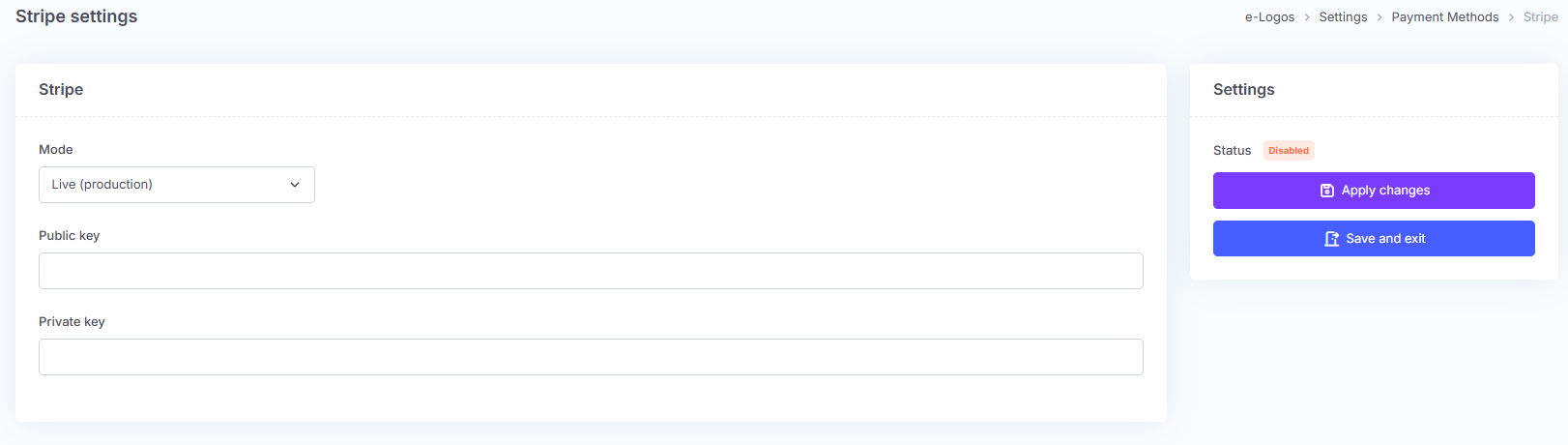
Select the mode:
- Sandbox test: to test payments without real transactions.
- Live (production): to enable real payments.
Publishable key: enter the publishable key obtained from Stripe.
Secret key: enter the corresponding secret key.
Click Apply changes or Save and exit.
Where to find your Stripe's keys
To find your keys in Stripe, go to the Stripe Dashboard and log in with your Stripe account. You will find:
- Publishable key: starts with pk_
- Secret key: starts with sk_ (in Sandbox mode, keys start with pk_test and sk_test; in production, they start with pk_live and sk_live)
Never share the secret key publicly.
Official Stripe documentation: